















About FNF: Golden Apple with Shaggy Covers & Extra Keys
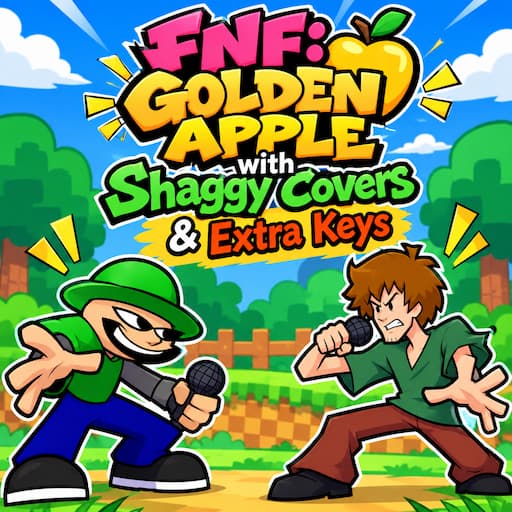
If you have ever wondered what happens when Shaggy walks into the chaos of FNF: Golden Apple with Shaggy Covers & Extra Keys, this Friday Night Funkin’ mod answers that question. It takes five well-known songs from Golden Apple, hands the microphone to Shaggy, and adds extra keys on top. The result plays very differently from the originals, and it will test your reflexes harder than you might expect.
The five songs
The tracklist is short, but each song asks for something different:
Disruption w/ Shaggy Extra Key: This is the opening track. You get the familiar “Disruption” tune with Shaggy singing and a few additional notes mixed into the pattern, so it works as a warm-up before things get serious.
Applecore w/ Shaggy Extra Key: “Applecore” gets a Shaggy-style remix. The melody is easy to recognize, but the arrows no longer land where you remember them.
Disability w/ Shaggy Extra Key: Expect dense note sequences here. Timing matters more than speed, because one sloppy press can break a whole combo.
Wireframe with Extra Key: This one drops Shaggy but keeps the expanded key layout. It is a good test of whether you really learned the new controls or were just surviving on luck.
Algebra w/ Shaggy Extra Key: The final song closes the set with a Shaggy cover of “Algebra”. Its rhythm patterns are tight and relentless, so you will need to stay locked in until the last note.
Why the extra keys change everything
Standard FNF gives you four arrows, and most players develop muscle memory for them within a few songs. Extra keys break that habit. With more lanes on screen, you can no longer just glance at the arrows and react automatically. You have to read each note, work out which key it belongs to, and press it before it passes the target zone.
At first this feels clumsy. After a few attempts, though, your hands start to remember where each key sits, and the fast stretches with notes stacked back to back become much more manageable. Spending a little time with the control layout before you start a song will save you plenty of missed notes later.
How to play FNF: Golden Apple with Shaggy Covers & Extra Keys
- Pick any of the five songs from the menu.
- Watch the notes scroll across the screen and follow the lane each one travels in.
- Press the matching key at the moment the note touches the marker.
- Check the in-game control hints for the added keys, as they differ from the usual four.
- Keep a steady rhythm. Accuracy counts for more than speed, and a calm pace usually gets you through.
Final thoughts
With five familiar songs, Shaggy covers and a bigger key setup, this mod gives Golden Apple fans a fresh reason to replay the tracks they already know. Start with Disruption, get used to the layout, and see whether you can clear all five.
Play more:
- FNF Corruption: A horror-themed mod where an infection is changing the people in Boyfriend’s world. Pico, Skid, Pump and a mysterious figure called Null carry the story across three playable demos. It relies on glitching backgrounds and warped character models instead of cheap jump scares. Before each Null fight you pick a modchart level (None, Simple or Full), so beginners can learn the rhythm first and raise the difficulty later.
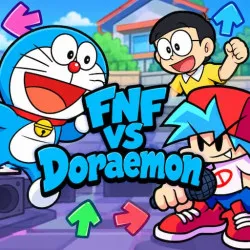
- FNF vs Doraemon: Boyfriend accidentally uses a time machine and lands in Doraemon’s world, where he meets Nobita and other familiar faces. The early battles feel friendly, then Doraemon’s look turns strange and the music gets tense. It has more than 20 songs across several weeks, with screen shakes and interface distortion in the later ones. The controls match the original game, so newcomers can start right away.
- FNF The Tricky Mod: A fast, high-pressure mod where you face Tricky, the insane clown from the Madness Combat series. The songs move quickly, and the changing visual effects are meant to pull your eyes off the arrows. You can play with the arrow keys or WASD. Staying focused on the note lanes and keeping a steady combo matters more than pressing keys quickly, especially in the final section of each song.