









About FNF: FNAF Test
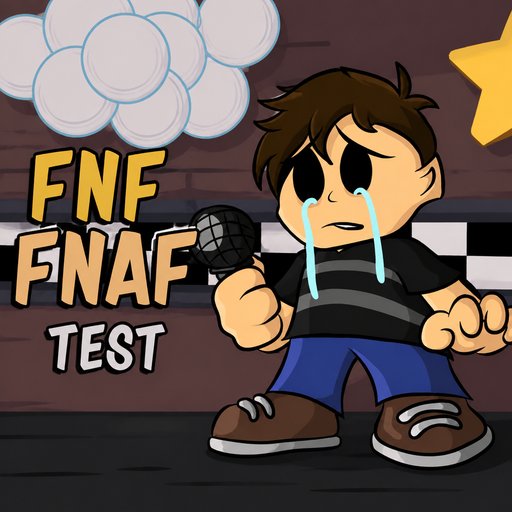
FNF: FNAF Test is a music sandbox game based on Friday Night Funkin’ (FNF) and the horror world of Five Nites at Freddy’s (FNAF). Instead of the usual rap battle with health bars and fail conditions, the game is an audio and animation sandbox where you can freely control characters, trigger effects and mix different sounds.
Meet the familiar animatronics
From the very beginning you can choose from a variety of famous characters in the FNF universe. It features Freddy Fazbear, Bonnie, Chica, Foxy, Springtrap, Funtime Freddy, Golden Freddy, Ennard, and the Crying Child.
Every character has a unique look, as well as unique vocal sets and animations. Switching to a different animatronic gives you a whole new set of sounds to play with.
This makes the game ideal for those who enjoy exploring FNAF characters rather than just seeking a standard rhythm game battle.
Try animations and vocals
You pick an animatronic, and then you can use the arrow keys to trigger different singing animations. Each direction key has its sound and movement, so you can chain them together to create your own audio sequences.
You can also use the number keys for triggering more actions or expressions. Try combining keys, rather than simply pressing them on their own.
Some combinations can lead to some surprising moments, especially if you switch between characters fast.
Create your own FNAF tracks
You can simply test animations one by one, but if you want to dive deeper, you can turn FNF: FNAF Test into a mini-studio.
Pick a character, trigger vocals in rhythm, and then try switching to another animatronic. The various characters have different vocals styles that can be mixed to create unique vocal sequences.
You can try:
• Layering multiple vocal clips from the same character.
• Switching between animatronics while the background music plays.
• Combining arrow keys with number keys.
• Creating short animation sequences.
• Testing different expressions for each character.
• Looking for hidden effects or interactions.
Jump scares and surprises
In your experiments you may find glitches, strange animations, or jump scares. These details make the exploration of each character even more exciting.
Rather than simply doing something once and then going on, spend some time hitting different keys and see how the characters respond.
How to Play FNF: FNAF Test
The controls are simple enough to get you experimenting almost immediately.
• Arrow Keys: Trigger singing animations for the selected character.
• Keys 1, 2, 3, 4: Test additional expressions or actions.
• Character Icons: Choose another animatronic to continue testing.
• Play Back Buttons: Play, pause, or restart the background music
• Key Combinations: Unique animations and vocal sequences.
Some good tips
• Try every character: Every animatronic has a set of sounds.
• Please remember the number keys: They can do more than just sing animations.
• Combine keys: the fastest way to discover engaging interactions.
• Experiment while music plays: The audio creates the feel of a complete performance.
• Explore surprise effects: Don't limit yourself to just the familiar keys.
• Switch characters frequently: Comparing the animatronics helps you explore the game more quickly.
Conclusion
FNF: FNAF Test transforms the familiar animatronics from Five Nights at Freddy's into characters you can freely experiment with in a musical sandbox. You can explore the vocals, animations, expressions and effects of each character, not fighting for the win.
Play with the arrow keys, learn actions with the number keys and combine them in your own special shows.