
























About Sprunkybox
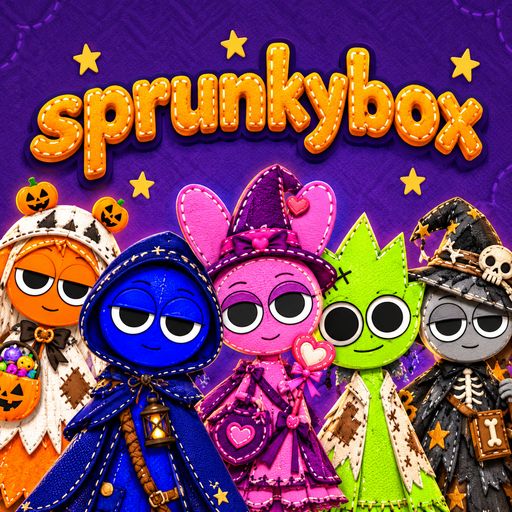
Sprunkybox is a music game for those who like to play with sounds and enjoy a Halloween atmosphere. Rather than guiding a character through obstacles, you build a band of small felt-like creatures, each with their own sound and dance moves. The stage, decorated with pumpkins, starlight, and mysterious details, creates a setting that is both adorable and slightly eerie.
Compose your own music with the Sprunkybox cast
Combine seven characters on stage
The arched stage in Sprunkybox features seven slots for band members. Simply drag a character from the selection tray and drop them into an empty slot to add their sound to your mix. You can blend drum beats, bass lines, melodies, vocals, and quirky sound effects to suit your personal taste.
Fine tune your mix
Sprunkybox lets you control each character with three functions: Mute, Solo and Remove. Use "Mute" to silence a character, "Solo" to isolate their sound, or "Remove" to take them off the stage entirely.
You can audit individual layers of sound, dismiss elements that don’t fit or highlight a specific melody. There’s no need to know any formal music theory to make interesting tracks, the game is all about free-form experimentation.
Find 19 secret songs
Another of Sprunkybox’s engaging challenges is to find 19 hidden musical tracks. Clues are woven into the interface, requiring you to observe closely and experiment rather than just placing characters at random.
- Experiment with combinations: Group two, three, or four characters together to uncover special combinations that unlock these secret songs.
- Observe the clues: Watch for the badges, listen for audio hints, and notice the silhouettes that appear on the interface.
- Fill the stage: Place all seven characters into their positions to uncover a unique musical piece.
- Collect and keep track: The music book tracks all the songs you’ve discovered in Light Mode and Dark Mode, so you can keep track of your progress.
Exploring Dark Mode
Transform the stage into a horror-themed world
To activate Dark Mode, place the mysterious "Black" character onto the stage. The screen will shift into an entirely different atmosphere, complete with lightning, thunder, glowing red eyes, and eerie shadows.
Find new sounds
At this stage, the characters emit different sounds than the default mode. The melodies take on a more sinister tone, perfectly suited for a Halloween setting—use this to craft compositions with a mysterious, supernatural flair.
Change the setting
Sprunkybox allows you to switch between Light Mode and Dark Mode to set the right mood. Light Mode keeps the characters looking adorable and felt-like, while Dark Mode adds a sense of tension and spookiness. Switching backdrops also gives each of your compositions a distinct performance style.
How to play Sprunkybox
Select your characters
Look at the character tray and choose the creatures whose sounds you want to incorporate into your track. Start with just a few to get familiar with each layer of sound.
Build your band
Drag and drop characters into any of the seven slots on the stage. Listen to the performance, then add more characters until your mix hits the perfect rhythm.
Refine the melody
Use the Mute, Solo or Remove functions on individual elements. If you hear one sound drowning out the others, mute it for a second to get a better feel for the overall mix and try a different arrangement.
Discover secret tracks
Try combining different groups of characters, follow the hints provided in the interface, and check the Music Book to see which tracks you have unlocked.
Switch to Dark Mode
Place the "Black" character on stage to trigger a horror-themed phase. Continue mixing with new sounds to explore further possibilities within the game.